

 By
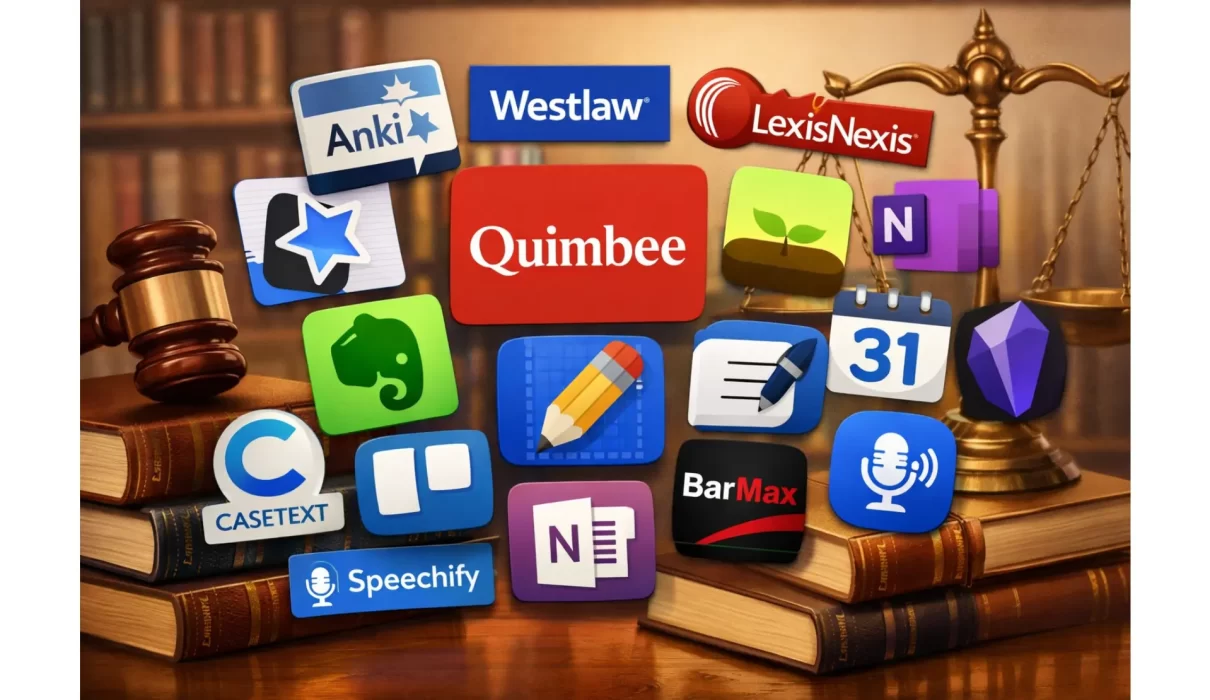
By Apps for law students have completely transformed how people study, research, and prepare for exams. Whether you are a first-year student drowning in case files or a final-year student preparing for the bar exam, the right digital tools make all the difference.
In this guide, we break down the top 15 apps for law students in 2026, including what each app does, who it is best for, its key benefits, and its rating. Use this list to build your personal law school toolkit.
Why the Best Apps for Law Students Matter More Than Ever
Law school is one of the most demanding academic environments in the world. Students are expected to read hundreds of pages per week, memorize complex legal doctrines, and produce polished written arguments under tight deadlines.
The right apps for law students help reduce that burden. They save time, improve retention, and keep your coursework organized so nothing slips through the cracks. With so many study tools available in 2026, choosing the right ones is just as important as studying hard.
Top 15 Apps for Law Students in 2026
Here is an in-depth breakdown of each app, including its features, benefits, ideal users, and ratings.
1. Quimbee – Best App for Case Briefs
What It Does: Quimbee is one of the most widely used apps for law students. It provides over 30,000 case briefs, video lessons on core legal subjects, and hundreds of practice quizzes. Each case brief includes the facts, issue, rule, analysis, and conclusion, the full IRAC breakdown.
Key Benefits:
- Saves hours of manual case briefing every week
- Video lessons make complex doctrines easier to understand
- Practice quizzes reinforce learning before exams
- Covers all major first-year and upper-level subjects
Who Should Use It: First and second-year law students who need fast, reliable case summaries. Also great for anyone who struggles to keep up with heavy reading loads.
Rating: 4.7/5 – Widely praised by law students across the U.S. for its accuracy and coverage.
2. Anki – Best App for Memorization
What It Does: Anki is a flashcard app that uses spaced repetition to help you retain information over the long term. You can create custom decks for legal definitions, statutory rules, case names, and landmark decisions. Thousands of pre-built law school decks are also available for free.
Key Benefits:
- Scientifically proven spaced repetition algorithm
- Helps retain large volumes of legal information efficiently
- Fully customizable flashcard decks
- Works on desktop and mobile devices
Who Should Use It: Any law student who needs to memorize rules, elements, and case names. Especially useful for bar exam preparation and open-book policy exams.
Rating: 4.8/5 – One of the highest-rated study apps for law students globally, trusted by medical and law students alike.
3. Westlaw – Best Legal Research App
What It Does: Westlaw is the leading legal research platform used by law students, attorneys, and judges worldwide. It gives you access to millions of court decisions, statutes, regulations, and secondary sources. Its KeyCite feature lets you verify whether a case is still good law.
Key Benefits:
- Comprehensive and authoritative legal database
- KeyCite instantly flags overruled or weakened cases
- Natural language and Boolean search options
- Most law schools provide free student access
Who Should Use It: All law students, particularly those working on moot court, law review, or research papers. It is one of the non-negotiable apps for law students doing serious legal research.
Rating: 4.6/5 – The gold standard for legal research, trusted by top law schools and firms worldwide.
4. LexisNexis – Best Alternative Legal Research Tool
What It Does: LexisNexis is Westlaw’s main competitor and offers a similarly vast database of case law, statutes, law reviews, and legal news. Its Shepard’s Citations feature performs the same function as KeyCite, helping students confirm that a cited case remains valid.
Key Benefits:
- Massive library of primary and secondary legal sources
- Shepard’s Citations for quick case validation
- Intuitive search interface with filters by jurisdiction
- Excellent news and current awareness features
Who Should Use It: Law students who want an alternative or complement to Westlaw, especially those focused on business law, international law, or current legal developments.
Rating: 4.5/5 – Consistently ranked among the best apps for law students for comprehensive research.
5. Evernote – Best Organization App for Law Students
What It Does: Evernote is a digital note-taking and organization app that allows you to create notebooks for each course, clip web content, attach PDF readings, and search across all your notes instantly. It syncs across all your devices.
Key Benefits:
- Organize class notes, case summaries, and outlines in one place
- Powerful search, even finds text inside images and PDFs
- Share notebooks with study groups
- Works offline for studying without an internet connection
Who Should Use It: Law students who struggle to stay organized across multiple courses. Perfect for anyone juggling seminars, journals, and internships simultaneously.
Rating: 4.4/5 – A trusted organization tool used by students and professionals worldwide.
6. Notability – Best Note-Taking App for iPad Users
What It Does: Notability is one of the most popular note-taking apps for law students who use tablets. It lets you handwrite notes, annotate PDFs, record lectures simultaneously with note-taking, and organize everything by course.
Key Benefits:
- Handwrite and type notes side by side
- Sync audio recordings with your written notes for easy review
- Annotate cases and readings directly on PDF files
- Seamless iCloud sync across Apple devices
Who Should Use It: Law students who prefer handwriting notes on an iPad or who annotate a lot of PDF readings. Ideal for visual learners.
Rating: 4.7/5 – One of the top-rated note-taking apps for law students on the App Store.
7. GoodNotes – Best Handwriting App with Smart Search
What It Does: GoodNotes is a powerful handwriting and annotation app that converts your handwritten notes into searchable text. This means you can write by hand but still find anything you have written in seconds.
Key Benefits:
- Handwriting recognition makes search instant and accurate
- Organize notes into notebooks, folders, and dividers
- Import and annotate any PDF or Word document
- Beautiful templates including legal notepads and lined paper
Who Should Use It: Law students who prefer handwriting but also need fast search capabilities. Great for anyone reviewing large amounts of annotated readings before exams.
Rating: 4.8/5 – Consistently one of the best-reviewed apps for law students on iPads.
8. Trello – Best Project Management App for Law School
What It Does: Trello is a visual project management tool that uses boards, lists, and cards to help you organize tasks, deadlines, and group projects. You can create a board for each semester and track every assignment from start to submission.
Key Benefits:
- Visual task tracking makes workload management easy
- Set due dates with reminders and color-coded labels
- Share boards with study groups or moot court teams
- Integrates with Google Calendar and other tools
Who Should Use It: Law students managing multiple assignments and deadlines at once. Also excellent for student organizations, journal editorial boards, and moot court teams.
Rating: 4.5/5 – A top-rated productivity app widely recommended for law school workload management.
9. BarMax – Best Bar Exam Prep App
What It Does: BarMax is a dedicated bar exam preparation app for law students. It provides thousands of Multistate Bar Exam (MBE) practice questions, state-specific essay prompts, performance tests, and detailed score analytics to track your progress.
Key Benefits:
- One of the most comprehensive bar prep tools available on mobile
- Full MBE subject coverage with detailed answer explanations
- State-specific content for MEE and MPT components
- Offline access so you can study anywhere
Who Should Use It: Third-year law students and graduates preparing for the bar exam. One of the most essential apps for law students in their final year.
Rating: 4.6/5 – Highly rated by bar takers for its depth and realistic question difficulty.
10. Casetext – Best AI-Powered Legal Research App
What It Does: Casetext is an AI-powered legal research platform that helps law students find relevant cases and statutes faster than traditional keyword searches. Its CARA AI feature analyzes your brief and automatically suggests cases you may have missed.
Key Benefits:
- AI-driven research significantly cuts research time
- CARA AI identifies relevant cases from uploaded documents
- Clean, modern interface that is easier to use than Westlaw for beginners
- Excellent for moot court preparation and legal writing
Who Should Use It: Law students working on research papers, moot court briefs, or law review articles. Also great for anyone who finds Westlaw or LexisNexis overwhelming at first.
Rating: 4.5/5 – Praised by legal professionals and students for its AI capabilities and ease of use.
11. Forest – Best Focus App for Law Students
What It Does: Forest is a focus and productivity app that helps law students avoid phone distractions. When you start a study session, you plant a virtual tree that grows as long as you stay off your phone. If you leave the app, your tree dies.
Key Benefits:
- Gamifies focus to make distraction-free study more motivating
- Track your daily and weekly study time visually
- Real trees get planted through partnerships with environmental organizations
- Works alongside other study apps without interference
Who Should Use It: Law students who struggle with phone distractions during study sessions. Especially helpful during exam season when focus is critical.
Rating: 4.8/5 – One of the most loved focus apps for law students and students in general.
12. Microsoft OneNote – Best Free Note-Taking App for Windows Users
What It Does: Microsoft OneNote is a free, feature-rich note-taking app that organizes your notes into notebooks, sections, and pages. It integrates seamlessly with Word, Outlook, and the broader Microsoft 365 ecosystem, which most law schools use.
Key Benefits:
- Completely free with a Microsoft account
- Deep integration with Microsoft 365 tools used in law school
- Supports text, audio, images, tables, and drawn content
- Easy sharing for group outlines and study materials
Who Should Use It: Law students who use Windows devices or whose law schools are Microsoft-based. A reliable everyday note-taking tool for capturing lectures and building course outlines.
Rating: 4.3/5 – Widely used by law students for its seamless integration with Microsoft tools.
13. Google Calendar – Best Scheduling App for Law Students
What It Does: Google Calendar is a free scheduling tool that helps law students map out study blocks, assignment deadlines, court simulation days, and exam dates. You can set recurring events, share calendars with peers, and receive reminders across all devices.
Key Benefits:
- Free and easy to use on any device
- Color-code different subjects and activities
- Set smart reminders so nothing gets missed
- Share calendars with study partners for group coordination
Who Should Use It: Every law student, regardless of year. Time management is one of the most critical skills in law school, and Google Calendar is one of the simplest apps for law students to master fast.
Rating: 4.7/5 – Universally recommended for scheduling and time management in law school.
14. Obsidian – Best Knowledge Management App for Advanced Students
What It Does: Obsidian is a powerful personal knowledge management app that lets law students build a linked network of notes, sometimes called a “second brain.” You can connect case notes, statutory provisions, and legal theories with internal links that show how concepts relate to each other.
Key Benefits:
- Bidirectional linking helps you see connections between legal concepts
- Graph view visualizes how your notes relate across subjects
- Works entirely offline with local file storage
- Highly customizable with community plugins for law students
Who Should Use It: Advanced law students, especially those in upper-level courses or writing lengthy research papers. Also excellent for students who want to build a comprehensive personal legal reference system.
Rating: 4.6/5 – Fast-growing among law students who want deeper, structured learning beyond basic notes.
15. Speechify – Best Text-to-Speech App for Heavy Readers
What It Does: Speechify converts any text — PDFs, web articles, Word documents, or emails — into high-quality audio that you can listen to at up to 4.5x speed. It is one of the most time-saving apps for law students who face overwhelming reading loads every week.
Key Benefits:
- Listen to cases and readings while commuting, exercising, or cooking
- Supports PDF, EPUB, Word, and web page formats
- Adjustable playback speed so you can move through material faster
- Highlights text as it reads for visual reinforcement
Who Should Use It: Any law student with a heavy reading schedule. Especially helpful for students with reading difficulties, long commutes, or anyone trying to cover more material in less time.
Rating: 4.6/5 – One of the most highly rated productivity apps for law students who need to consume large amounts of text efficiently.
How to Build Your Personal App Stack as a Law Student
The most effective apps for law students are the ones you actually use consistently. Here is a simple framework for building your app stack based on your year in school:
First Year: Quimbee + Anki + Google Calendar + Westlaw Second Year: Add Evernote or GoodNotes + Casetext + Trello Third Year: Add BarMax + Speechify + Forest
Start with three apps and build from there. Using too many tools at once can become its own distraction.
Final Thoughts
The best apps for law students in 2026 are not just nice extras, they are competitive advantages. From Westlaw and Quimbee for research and case prep to Anki and BarMax for long-term retention and exam readiness, each tool on this list serves a specific purpose in your academic journey.
The key is to be intentional. Pick apps that match your study style, your year in school, and your biggest pain points. Use them daily, build habits around them, and let them do what they are designed to do, help you learn faster, stay organized, and show up as the best version of yourself in every class and every exam.
Key Takeaways
- Apps for law students address the four biggest challenges in law school: case research, note organization, exam preparation, and time management.
- Quimbee and Westlaw are foundational tools that nearly every law student needs, regardless of year or specialty.
- Anki’s spaced repetition system is one of the most effective ways to retain legal rules and case holdings long-term.
- BarMax is the top-rated dedicated tool among apps for law students preparing for the bar exam.
- Combining a focus app like Forest with a scheduling tool like Google Calendar creates a powerful daily study system.
- The best results come from using three to five apps consistently, rather than downloading every tool at once.
